
Getting Started
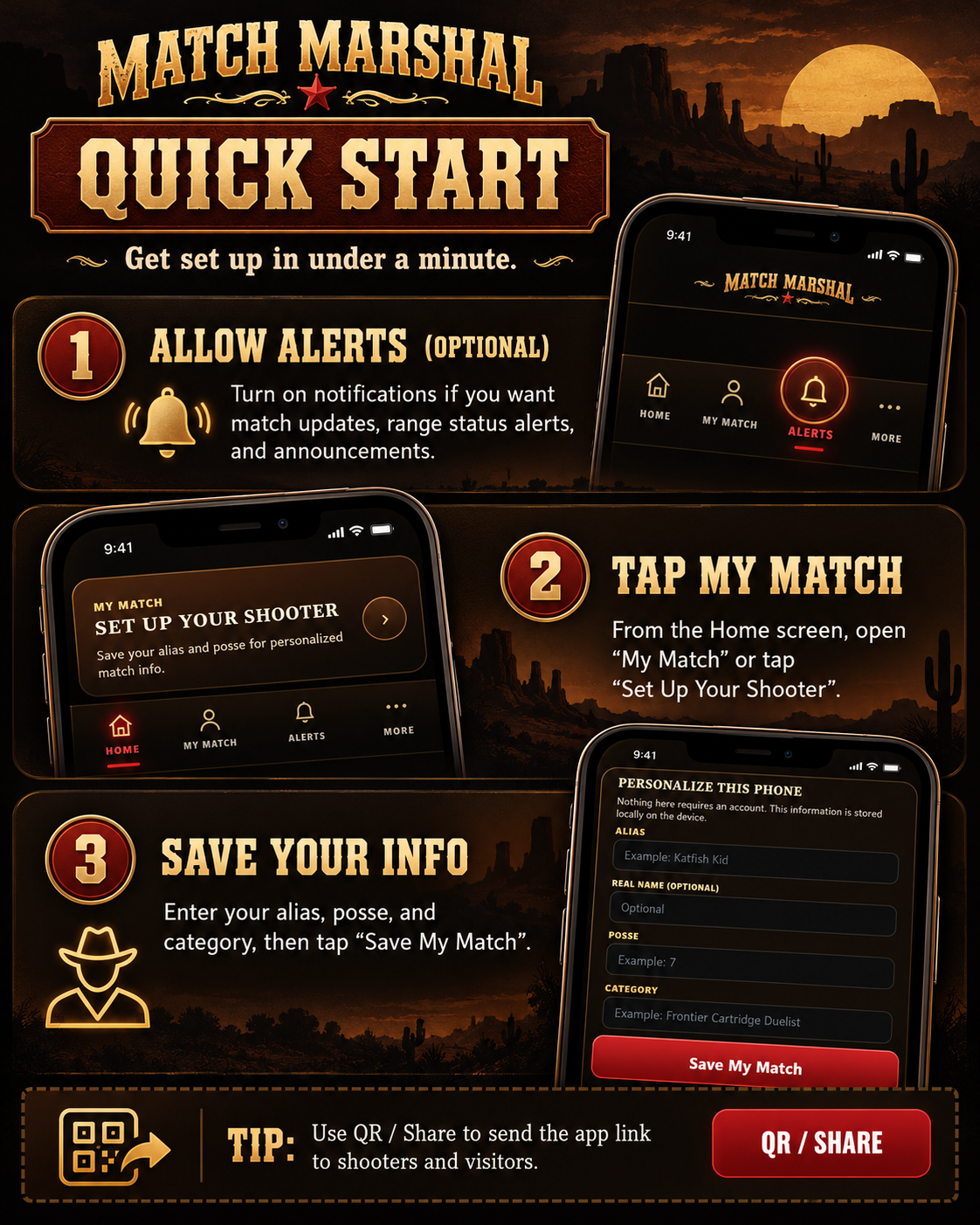
Big pictures. A few easy taps. Get the Spring Round Up app set up without digging through a manual.
Three steps and you're ready.
Start here. You can always come back for the detailed pictures farther down the page.
Turn On Match Alerts
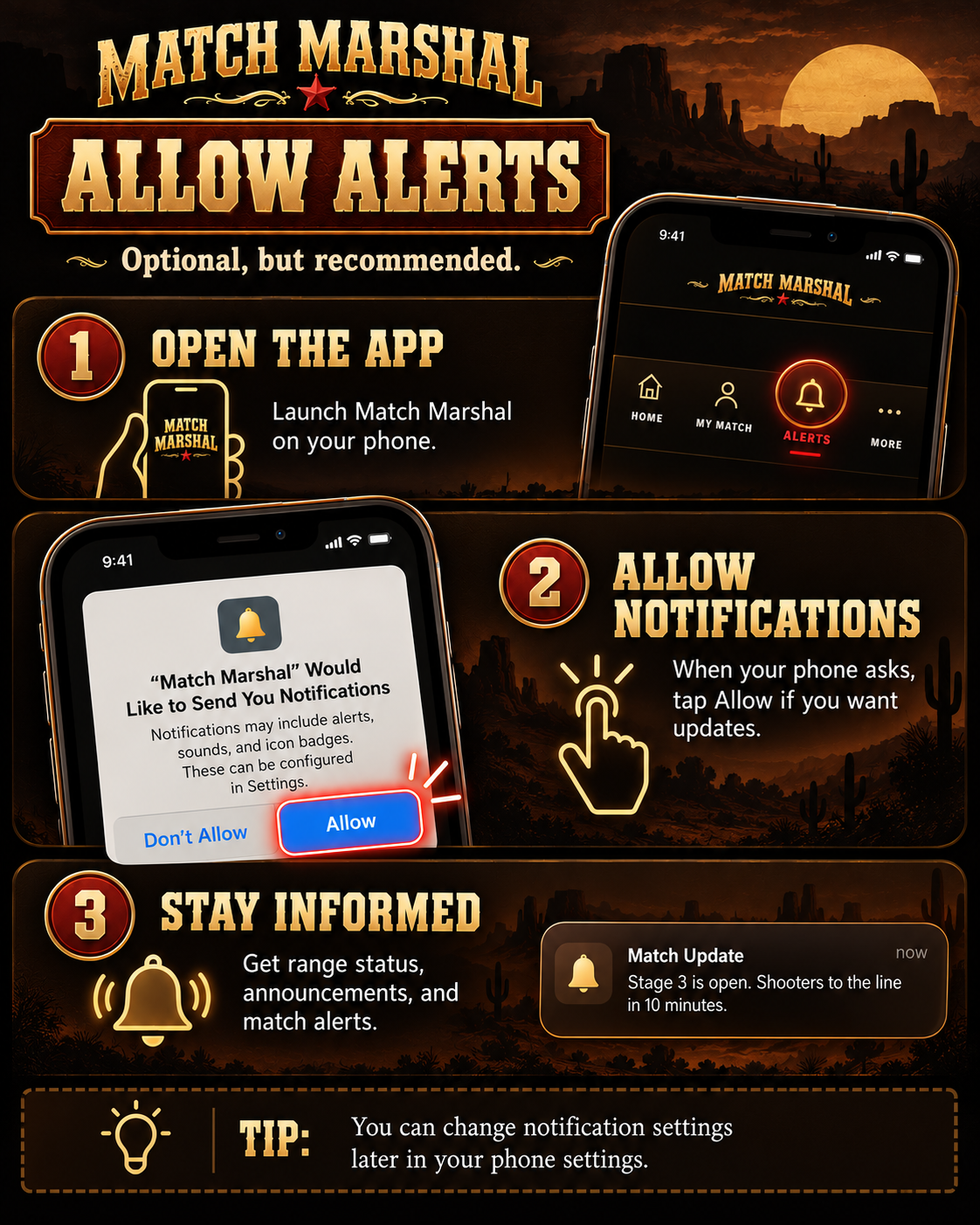
Want range updates and important announcements without constantly opening the app? Enable notifications.
I don't see the notification permission popup. Now what?
Open the Spring Round Up app, check its Notification Settings, and follow the enable/register prompts. On iPhone, first add the app to your Home screen and open that installed version. Notification permission can also be adjusted in your phone settings.
Do I have to allow notifications?
No. The schedule, map, published stages, and other match information can still be viewed without opting into push alerts.
Set Up My Match
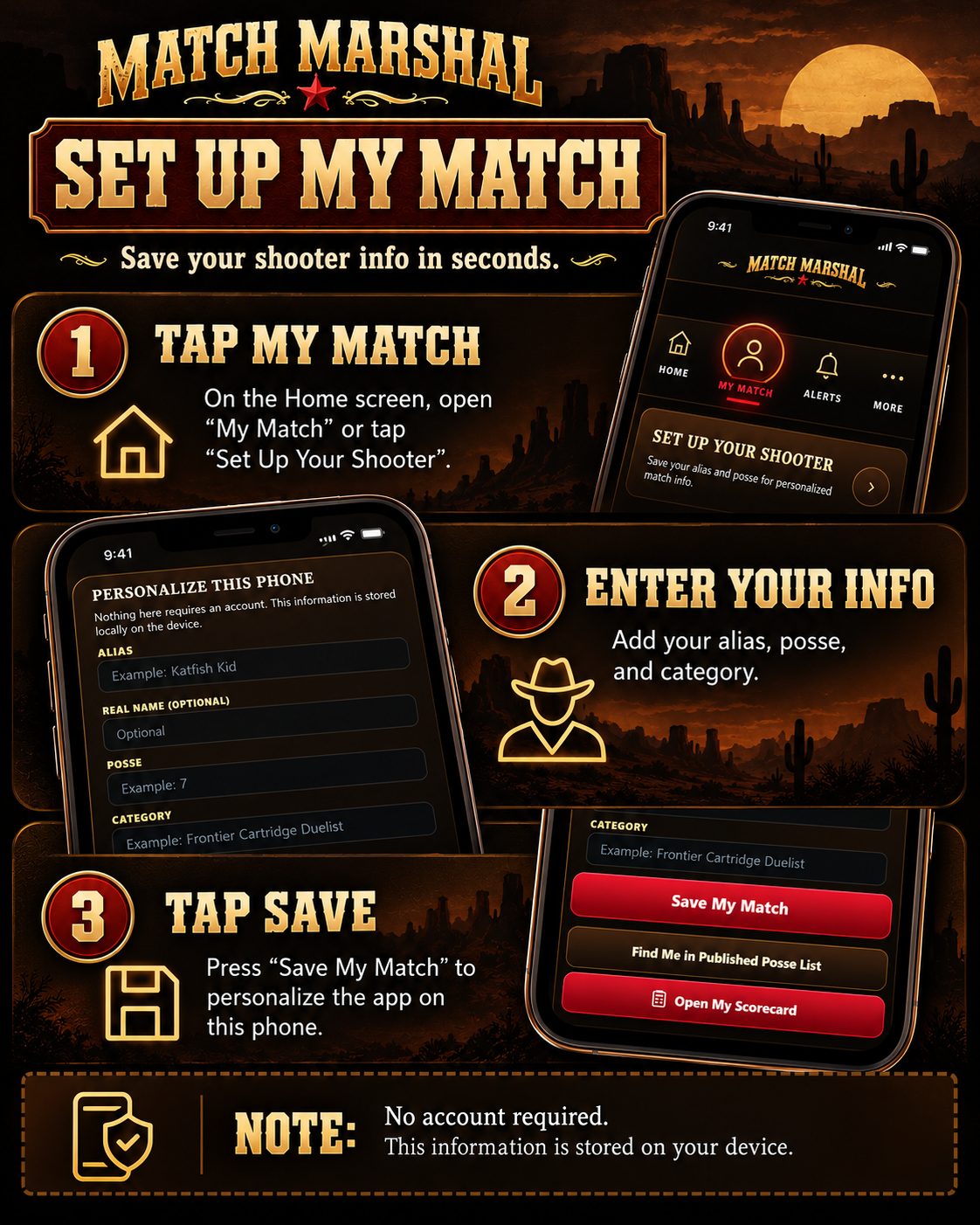
Enter your alias, posse and category once. These details are stored on that phone—no shooter account required.
Share the Spring Round Up App
Use the app's QR / Share button, copy the link, or scan the code here. Everyone opens the same current match app.

Scan to open the match app.
spring-round-up-2027-beta.krisrjames.workers.dev